
Escape Fake in your browser
No tablets or smartphones for your class? Play Escape Fake directly in the browser, on a computer, laptop or interactive whiteboard. It’s the same missions, story and learning goals as the app, without augmented reality.
#escapefake
When to use the browser version
- Your school has no tablets or smartphones for students
- Mobile devices aren’t allowed in class, or the app can’t be installed
- You want to start right away without installing anything
The app remains the full experience: it uses augmented reality and printed markers to turn your classroom into an escape room. The browser version is your backup when that isn’t possible.
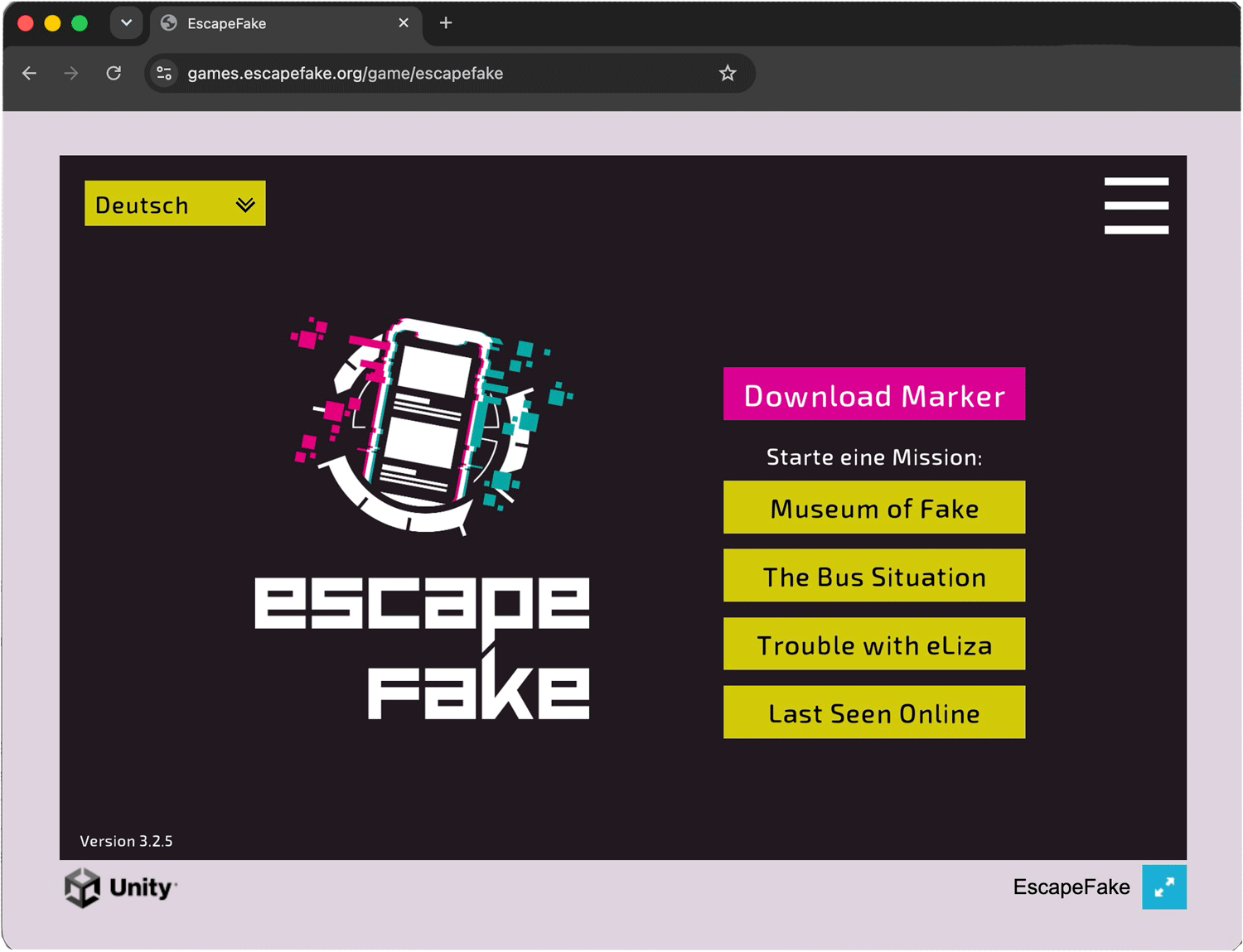
Available missions
All the mission that available in our app, are also available through the browser version.
Museum of Fake
20-30 minFree
In the Prequel players visit the Museum of Fake, set in a dystopian future and get an understanding of different historical fakes.
The Bus Situation
40-60 minFree
Investigate the story of a bus driver who was reported to be transporting refugees.
Trouble with eLiza
40-60 minPlus License
VTuber Lisa, a lifestyle blogger, managed to bring about the collapse of the EU. How did she create such a societal split?
Last Seen Online
40-60 minPlus License
A teenager has deleted their profile. Recover their lost internet trail across four online worlds — and find out what pushed them out.
Plus License
When you start a licensed mission, the game asks for your license key. Enter it once and your browser remembers it. Many school computers clear browser data when you log out. If that happens, just enter your key again. You’ll always find it on the licence page in your member area.
No license yet? Get a Plus License, or order it via Marktplatz Lernapps if you teach at an Austrian school.
What you need
- A computer or laptop with a current browser: Chrome, Edge, Firefox, or Safari on Mac
- An internet connection
- No markers, no camera, no installation
Choose your language at the top left of the game’s start screen.
Note on tablets: The browser version isn’t designed for tablets and phones. Some newer iPads may work, but we can’t guarantee it. On iPads and smartphones, please use the app.
Game not loading?
Your school’s network may be blocking it.
Please ask your IT admin to allow these two addresses:games.escapefake.org data.polycular.com